
mcafee pop up scam
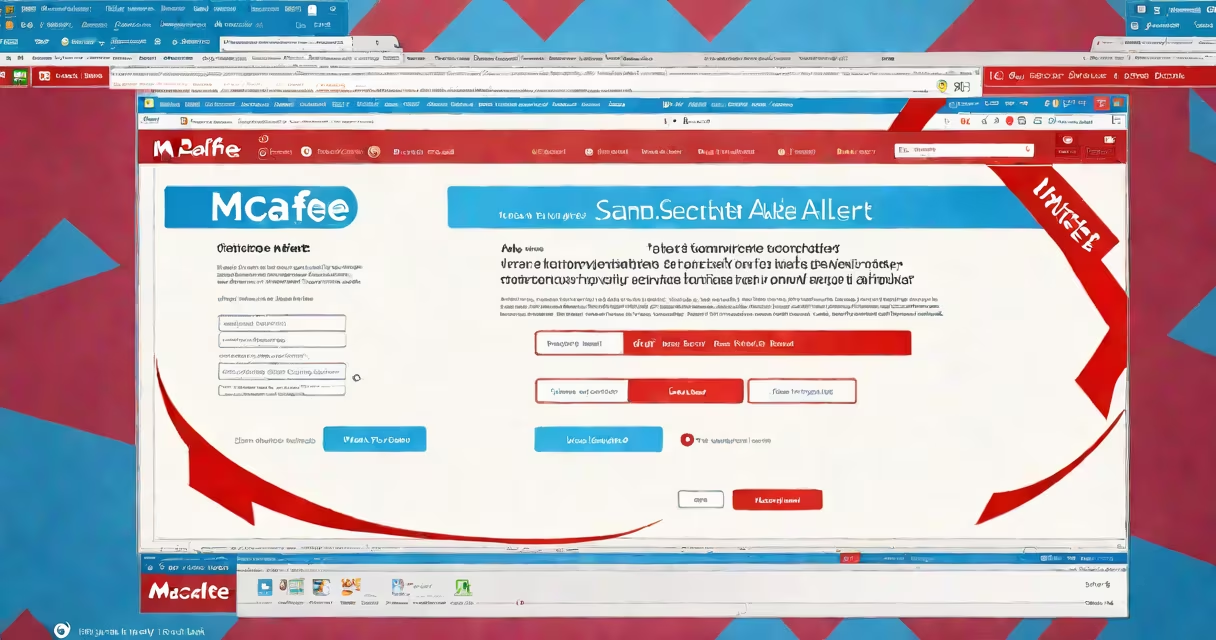
A McAfee pop-up scam is a fraudulent message that appears in a web browser, falsely claiming your device is infected and demanding payment for a fake McAfee antivirus solution. These alerts are not from McAfee Corporation and are designed to exploit fear to extract money or personal data.
These scams appear as full-screen pop-ups with alarming language like "Your system is compromised," "Malware detected," or "Immediate action required." They often display fake scan results, show red warning icons, and prompt users to call a phone number or click a link to "remove threats." The messages mimic official McAfee interfaces but are hosted on unrelated domains.
McAfee itself does not send pop-up alerts through web browsers. Legitimate McAfee software runs in the background and displays notifications through the installed application, not via browser windows. Any pop-up claiming to be from McAfee that appears while browsing is almost certainly a scam.
How McAfee Pop-Up Scams Work
Scammers use malicious advertising networks and compromised websites to trigger pop-ups. When a user visits a site with embedded scripts, the page loads a fake McAfee interface using JavaScript and CSS. The pop-up may simulate a virus scan, showing a progress bar and listing fictional threats like "Trojan.Win32.Agent" or "Spyware.AntiVirus".
The goal is to create urgency. Messages often state that your computer is at risk of data theft, identity fraud, or permanent lockout. Users who panic and call the number listed may be asked to provide credit card details or remote access to their device under the guise of fixing the issue.
One real-world example occurred in 2022 when a phishing campaign used domain names like mcafee-security-alert.com and mcafee-virus-scanner.net. These sites displayed a fake McAfee dashboard with a 98% threat detection rate and a countdown timer. Visitors were pressured to click "Download Now" or "Call Support" within 60 seconds.
Types of McAfee Pop-Up Scams
Scammers use several variants to increase success rates. The most common types include:
| Type | Appearance | Common Tactics |
|---|---|---|
| Urgent Threat Alert | Red warning banners, flashing icons, countdown timers | "Your PC has 37 malware infections. Fix now." |
| Phony Scan Results | Fake progress bars, list of "detected threats" | "48 threats found. Remove them instantly." |
| Phone Number Pressure | Large "Call Now" button, toll-free number | "Speak to a technician. Your data is at risk." |
| Free Trial Bait | "Download free trial" with hidden subscription terms | Redirects to a paid service after installation. |
These scams often target older adults and people unfamiliar with digital security. A 2023 report by the Federal Trade Commission (FTC) found that nearly 14% of scam complaints involved fake antivirus alerts, with McAfee being the most frequently impersonated brand.
Why People Mistake These for Real Alerts
Many users assume that any pop-up with a well-known brand name is authentic. The design of these scams closely replicates McAfee's official branding-blue and green color schemes, similar fonts, and familiar logos. This visual mimicry exploits trust in established brands.
Another common mistake is confusing browser-based pop-ups with desktop software. McAfee's actual product runs as a background process and shows alerts in the system tray or taskbar. Browser pop-ups are never part of the legitimate McAfee set.
One key distinction often missed: real McAfee software does not require you to click a link or call a number to fix issues. If a pop-up demands immediate action via phone or download, it is not genuine. According to the Electronic Frontier Foundation (EFF), 99% of McAfee-related pop-ups seen in the wild are scams.
How to Stop and Prevent McAfee Pop-Up Scams
When a McAfee pop-up appears, close the browser tab immediately. Do not click any buttons. Press Ctrl+W (Cmd+W on Mac) to close the window. Avoid clicking "OK," "Continue," or "Download" even if they seem harmless.
Use a browser extension that blocks intrusive ads and pop-ups. Tools like uBlock Origin or Privacy Badger can prevent these scams from loading. Enable "Pop-up Blocker" in your browser settings-this feature is enabled by default in Chrome, Firefox, and Edge.
I once encountered a McAfee pop-up while researching cybersecurity tools. The alert claimed my laptop had 127 viruses and urged me to call a number. I closed the tab, ran a scan with Malwarebytes, and confirmed no infection. The pop-up originated from a rogue ad network, not a real threat.
Remember: no legitimate security company sends alerts through web browsers. If you see a McAfee pop-up scam, treat it as a red flag. Report it to the FTC at reportfraud.ftc.gov or to your browser provider.