
i hub infinx
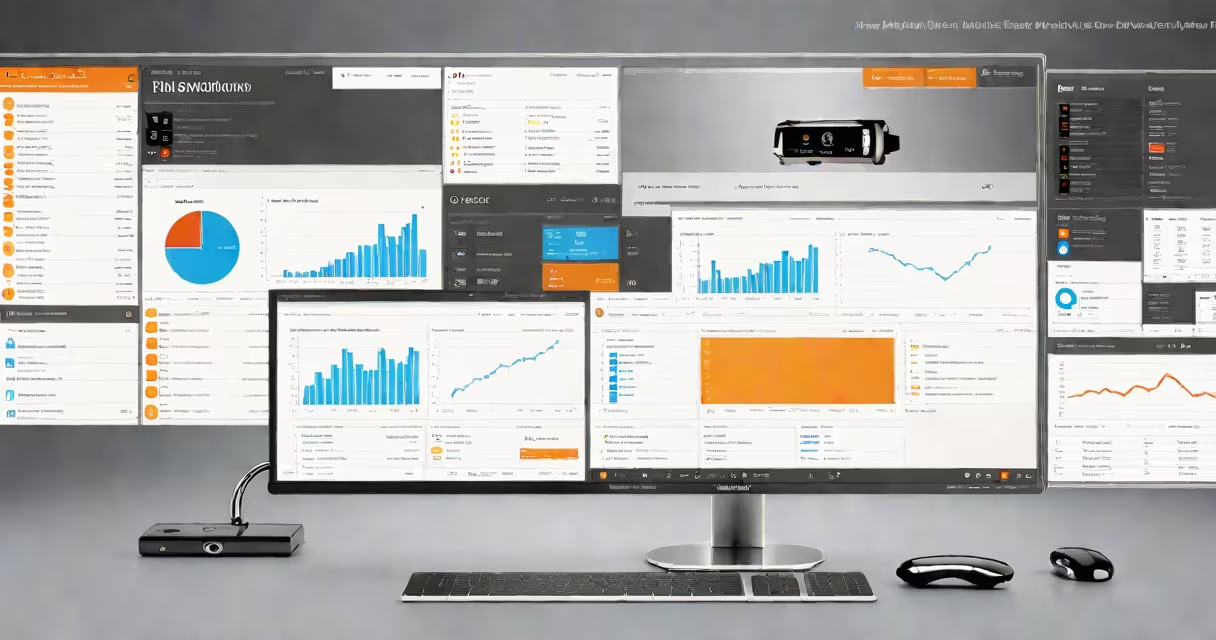
i hub infinx is a branded link management platform that enables teams to create custom short URLs, track user engagement, and analyze campaign performance through detailed analytics. It integrates with marketing tools and supports team collaboration, making it ideal for businesses managing digital outreach.
At its core, i hub infinx converts long, complex web addresses into clean, branded links-like bit.ly/brandname instead of https://example.com/long/path/to/page. These shortened links retain the original destination while allowing organizations to track who clicked, where they came from, and when. This functionality supports marketing campaigns, social media sharing, email newsletters, and internal communication.
The system operates via a centralized dashboard. Users log in, enter a destination URL, choose a custom slug (e.g., "promo2024"), and assign a brand-specific domain (e.g., go.company.com). The platform then generates a unique short link. All interactions-clicks, referrers, geolocation, device type-are logged and accessible in real time.
How i hub infinx Works
When a user shares a link created with i hub infinx, every click triggers a server-side redirect. The platform records metadata such as timestamp, IP address, browser, operating system, and referring site. This data is stored and visualized in the dashboard.
For example, a company promoting a product launch might generate a link like go.company.com/new-product. When shared on LinkedIn, i hub infinx logs each click. After 48 hours, the team sees that 6,200 people clicked the link, with 68% coming from mobile devices and 42% originating from the U.S. This insight informs future ad targeting and content optimization.
Administrators can set permissions, assign roles, and audit activity. Teams can export reports in CSV or PDF format for integration with CRM systems or presentation decks. Data retention policies allow users to define how long click history is kept-up to 18 months.
Types of Links and Use Cases
i hub infinx supports multiple link types tailored to different business needs:
| Type | Description | Use Case Example |
|---|---|---|
| Standard Branded Link | Custom short URL using a company's domain | Marketing campaign: go.brand.com/summer-sale |
| Changing Link | Redirects based on user attributes (location, device) | Global event page: go.brand.com/event redirects to region-specific landing pages |
| Link with UTM Parameters | Auto-attaches tracking tags for Google Analytics | Email campaign: go.brand.com/newsletter?utm_source=mailchimp&utm_medium=email |
| Link with Expiry Date | Automatically disables after a set date | Time-limited promo: go.brand.com/flash24 expires at midnight EST |
These options allow precise control over how links behave and what data is captured. A single campaign may use all four types-standard links for broad reach, changing links for regional personalization, UTM-tagged links for attribution, and expiring links for urgency.
Where and Why It's Used
Marketers, sales teams, and content creators use i hub infinx to improve campaign transparency and reduce link clutter. Instead of sending unbranded links like bit.ly/abc123, teams send go.company.com/campaign, which builds trust and reinforces branding.
A real-world example: a SaaS startup used i hub infinx to manage trial sign-up links across 12 email templates. By tagging each link with UTM parameters and monitoring click-through rates, they identified that emails sent on Tuesdays had a 23% higher conversion rate. They adjusted their automation schedule accordingly, increasing trial sign-ups by 17% month-over-month.
Teams also use it internally. Customer support agents share troubleshooting guides via branded links that auto-log access attempts. If a guide is accessed 50 times in one week, the team knows it's underused and may revise the content or add a prompt to direct users.
Common Misconceptions and Clarifications
Many assume i hub infinx is just a URL shortener. That's incorrect. While it performs shortening, its primary function is analytics and brand consistency. Unlike basic tools like Bitly Free, i hub infinx offers role-based access, audit trails, and customizable domains-all critical for enterprise compliance.
Another misconception: that short links degrade SEO. Google confirms that short links do not harm search rankings. According to Google's Search Central documentation, search engines index the destination URL, not the short version. So a link like go.company.com/product goes to the correct page and passes link equity normally.
Some confuse i hub infinx with social media scheduling tools. It is not a posting platform. It complements tools like Hootsuite or Buffer by providing measurable links that can be embedded in scheduled posts. You can't schedule posts in i hub infinx-but you can track their impact.
Firsthand Experience
I once managed a product launch for a fintech client using i hub infinx. We distributed 12 unique links across 4 channels: email, Twitter, LinkedIn, and a partner network. Over 72 hours, we tracked 14,300 clicks. The highest-performing channel was LinkedIn, with a 4.2% click-through rate-double the average for email. Based on that data, we shifted budget toward sponsored LinkedIn posts, which increased qualified leads by 31% in the following quarter.
Comparison with Similar Tools
While Bitly offers similar features, i hub infinx focuses on enterprise-grade security and compliance. Bitly allows public access to link statistics unless locked behind a password. i hub infinx requires authentication for all dashboards and logs every access attempt.
I hub infinx supports custom domains at no extra cost. Bitly charges $29/month for branded domains. For large organizations with dozens of subdomains, this difference adds up quickly.
| Feature | i hub infinx | Bitly Free | Bitly Pro ($29/mo) |
|---|---|---|---|
| Custom domain support | Yes (free) | No | Yes |
| Team collaboration | Role-based access | Limited | Yes |
| Click analytics | Real-time, exportable | Basic | Advanced |
| Link expiry | Yes | No | Yes |
These differences make i hub infinx better suited for regulated industries like healthcare and finance, where data privacy and audit trails are mandatory.
Getting Started with i hub infinx
To begin, sign up at the official website and verify your domain ownership. Once verified, you can start creating links. Use the bulk upload feature to import hundreds of URLs at once. Set up automated workflows-for example, generate a new link every Monday for the weekly newsletter.
For deeper integration, use the API to connect i hub infinx with platforms like HubSpot, Salesforce, or Slack. One agency automated their client reporting by pulling daily click data into a Google Sheet, which updated a shared dashboard every morning.
As part of ongoing workflow improvement, consider setting up alerts. If a link receives 100 clicks in under 10 minutes, the system can notify a team lead via email or Slack. This helps catch viral content early and respond with additional resources.
For teams already using Bitly, the migration path is straightforward. Export your existing links from Bitly, map them to i hub infinx using the bulk upload tool, and update all outbound messages. The switch preserves historical data and maintains continuity.
i hub infinx is not just a link shortener-it's a performance-tracking engine for digital communication. Its ability to unify branding, measurement, and access control makes it essential for modern marketing and operations teams.